Last updated:
Cabinets & Panels
The cabinet editor is where panel design happens — automatically generated and manually refined.
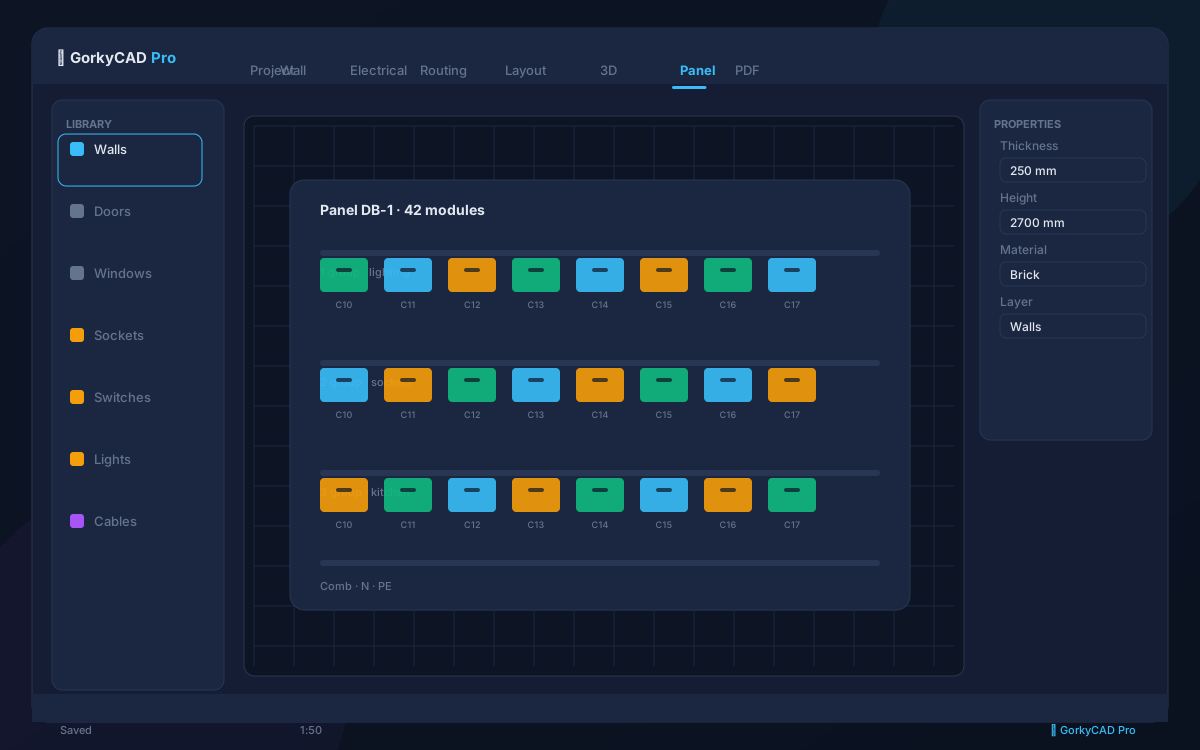
Auto Assembly
GorkyCAD analyzes the schematic and automatically composes the panel:
- Determines enclosure size based on device count
- Lays out DIN rails
- Places devices in logical order (main breaker → RCD → group breakers)
- Routes busbars between devices
- Calculates clearances per PUE/IS 732
Manual Refinement
- Drag devices to reorder
- Resize enclosure
- Add/remove DIN rails
- Change busbar arrangement
- Add labels and markings
Feeder Topology
The panel hierarchy is tracked automatically:
- Main panel (MSB) → Sub-panels → Floor panels → Apartment panels
- Each upstream breaker feeds a downstream panel
- Cumulative loads calculated up the hierarchy
Frequently asked questions
Is this article free?
Yes, all articles and calculators are completely free.
Yes, all articles and calculators are completely free.
Where can I run calculations?
The site offers 21 free calculators: cable sizing, breakers, RCD, voltage drop and more.
The site offers 21 free calculators: cable sizing, breakers, RCD, voltage drop and more.
How do I prepare an electrical project?
In GorkyCAD Pro: plans, panels, calculations and a PDF set for free.
In GorkyCAD Pro: plans, panels, calculations and a PDF set for free.
Found an error in the article?
Write to hello@gorkycad.pro — specialists will review and correct it.
Write to hello@gorkycad.pro — specialists will review and correct it.